How do I use filters in Lightroom?
The Lightroom Graduated Filter is a versatile tool for making local adjustments to your photos. The name shouldn't fool you. It may be named after a type of filter used for making skies darker in landscape photography, but its uses go far beyond that.
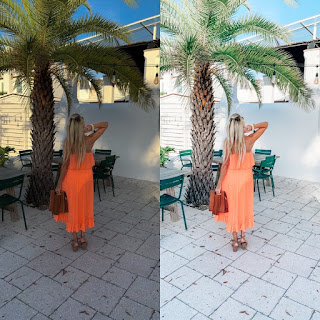
Before we look at how you can use the Graduated Filter tool to improve your images, you may want to think about the style in which you do like to process the photo.
How can you use  Adobe lightroom cc presets?
Firstly you need to click on the Graduated filter icon underneath the Histogram (the keyboard shortcut for it is "M"). The Graduated filter panel opens up beneath, revealing the sliders that you can adjust.
Then you need to hold the left mouse button down and drag the mouse across the image to place the Graduated filter. There is a lot of space between the lines making up the filter, indicating that it will smooth graduation.
If you let go of the mouse button early,
you create a narrow Graduated Filter that gives more challenging graduation.
Drag the pin to position the Graduated Filter where you need it.


Comments
Post a Comment